Inside your shared circle
Co-Parenting Edition
Explore each area of the shared workspace. Your family’s needs may change; who can view, submit and approve remains clear.
Open the sample familyParents
Set schedules, decide requests and manage shared records. Both approve helper access, teen driving and agreement changes.
Helpers & professionals
Helpers see permitted practical details. Approved supervisors log visits; lawyers and mediators are read-only. Medical records need separate access.
Kids
See their schedule, own requests and own allowance. Submit ideas without seeing private parent discussions; driving requires both parents’ confirmation.
The days & the details
Custody, without counting days
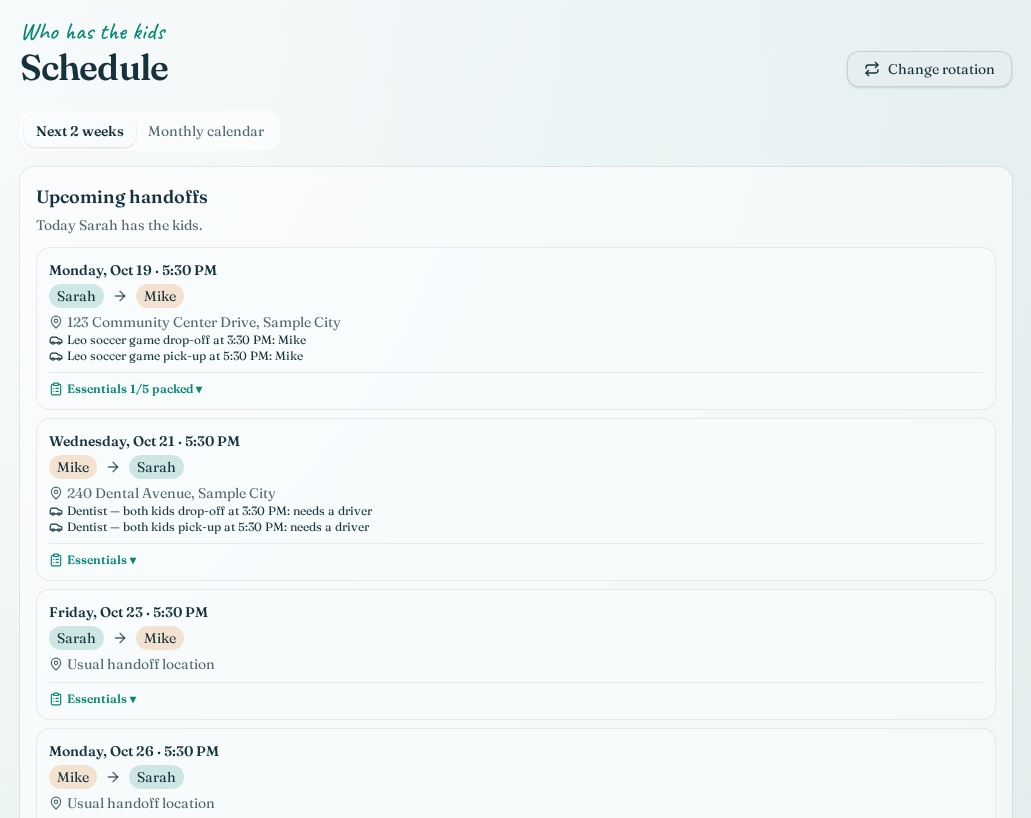
Monthly calendar, repeating rotations, the next two weeks and swap requests that leave the usual schedule in place until accepted.
Open this area in the demoA ride for every leg
Separate pickup and drop-off drivers, addresses and times. Eligible adults and jointly approved teens can take open rides; confirmations, completion and packing checklists keep the details together.
Open this area in the demoHolidays with a plan
Even- and odd-year holiday rotation makes special days part of the shared calendar rather than a last-minute conversation.
Open this area in the demoSchool-day changes
Prepare an appointment notice, copy it or open your email app, add a reminder and adjust pickup. You choose when to send; email is not sent automatically.
Open this area in the demoMoney & growing independence
From receipt to repayment
Plan recurring bills and future costs. Track expense splits, approval, reimbursement and receipt confirmation; export a dated statement. Records track acknowledgments, not money transfers.
Open this area in the demoOne allowance across two homes
Weekly amounts, earned and spent money, savings goals and one shared payment record per week. Parents manage the amount; kids follow their own progress.
Open this area in the demoA child’s own requests
Kids submit needs and see their own requests and final answers. Parents discuss privately before deciding; those discussions stay out of the child’s view.
Open this area in the demoTrips that respect the rotation
Suggest plans, build itineraries and spot custody conflicts when your circle chooses to plan activities together.
Open this area in the demoClear boundaries & dependable records
Conversations with context
Topic-based messages, read receipts and optional tone help. Sent messages are append-only; a read receipt is not proof of agreement.
Open this area in the demoAgreements that both approve
Bedtimes, screens, diet, socializing and co-parenting expectations. Versions and approvals are time-stamped; changes take effect only when all parents approve.
Open this area in the demoSupervised visits, thoughtfully recorded
Named supervisors or agencies, public locations, staggered arrivals and calendar sessions. Record neutral observations and actual times; saved logs lock. Supervisor access needs both parents’ approval.
Open this area in the demoHelp without handing over control
Both parents approve helper access, teen driving eligibility and professional invitations. Lawyers and mediators remain read-only with only permitted sections; access changes have a history.
Open this area in the demoChild details with a privacy boundary
School details, contacts, documents and explicit parent reviews. Safety allergies are labeled as an emergency exception; private medical notes and documents require separate permission.
Open this area in the demoA selected records packet
Choose dates, children and sections, including agreements and visit logs. Compact printouts include parent signatures and notary lines—not automatic notarization, certification or verified evidence.
Open this area in the demoChanges don’t disappear quietly
In-app notifications bring ride, swap and permission decisions back to the people affected. Private suggestions stay with their author.
Open this area in the demoTwo private homes, one shared picture
Child-specific codes share days, handoffs and costs with Family Edition. Allowance payment and chore-reward options require both parents; messages, medical records and documents never cross this bridge.
Open this area in the demoYour household planner stays yours.
The $249/year or $24.99/month bundle is planned to include two private Family planners and this shared circle. Purchases remain closed until Family activation is connected. Child-data bridge codes are separate from subscriptions; records are not certified and email notices are prepared for you to send.